
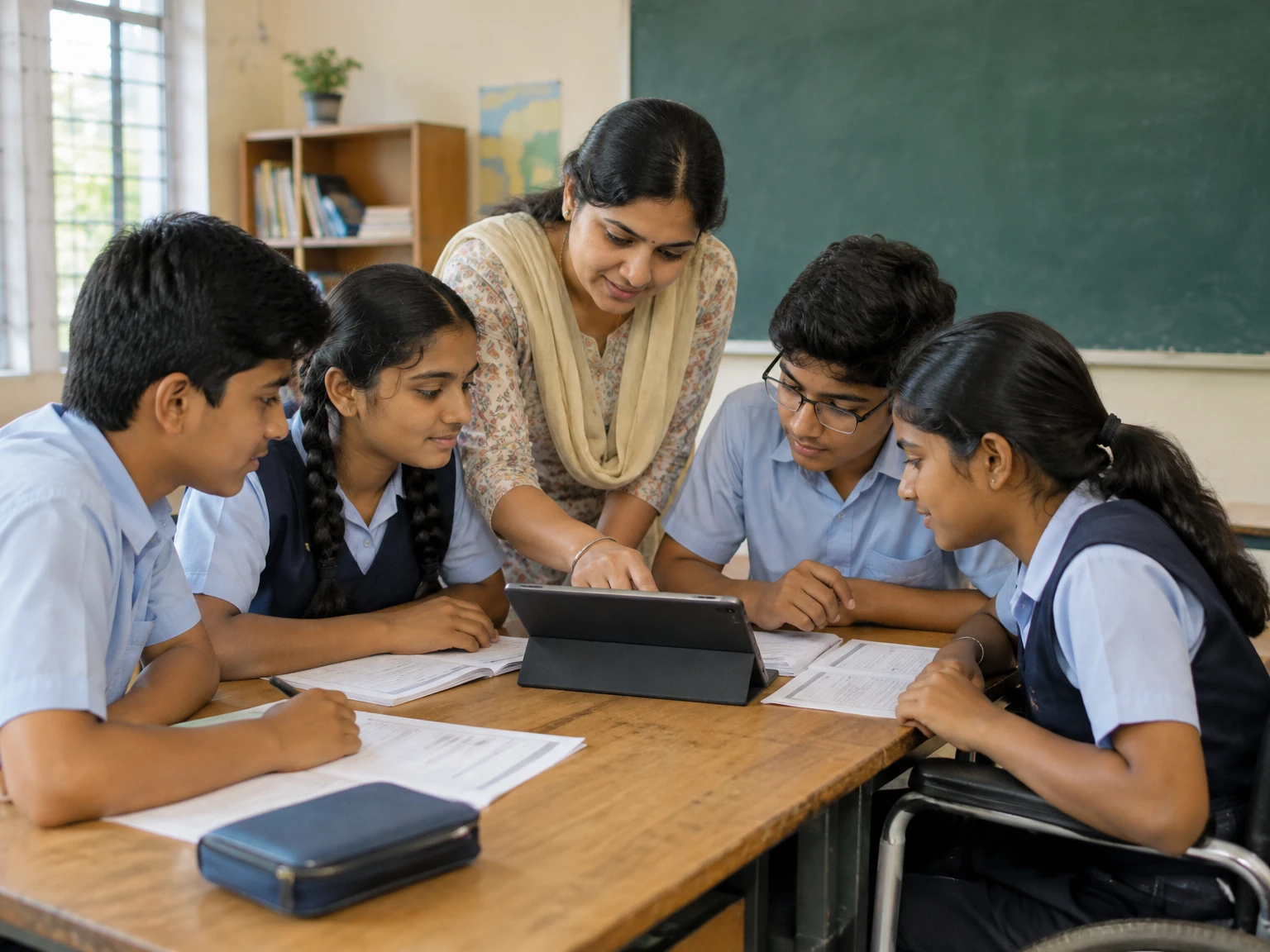
A digital class is not simply a lesson moved onto a screen. It is a learning experience in which a teacher, students, content and a digital tool are arranged to help learners understand something, practise it and receive useful feedback. That distinction matters. A video can be watched without learning; a worksheet can be completed without understanding; a lively call can still leave half the class unheard. Good digital teaching begins with the same question as good classroom teaching: what should learners be able to explain or do by the end? The answer then guides the choice of technology, the length of each activity, the kind of participation and the way progress is checked. This article offers a practical framework for designing digital and blended classes without treating devices as a substitute for teaching. It draws on the Government of India’s DIKSHA platform as an example of varied educational resources and on UNESCO’s Global Education Monitoring report, which asks whether technology is being used on appropriate terms and in support of access, equity, inclusion and quality.
1. Begin with a learning outcome, not an app
Before opening a video-conference tool or choosing a presentation template, write one plain-language outcome. It might be “students can compare two explanations,” “learners can solve a problem and show their reasoning,” or “the class can identify the main idea in a short passage.” A useful outcome describes observable understanding, not an activity such as logging in, watching a clip or submitting a file. Keep the outcome narrow enough to check during one lesson. If it contains several verbs and many topics, divide it into smaller steps. This does not reduce ambition; it gives the teacher a clearer route to it. Once the outcome is stated, ask what evidence would show that a learner has reached it. A short explanation, a worked example, a labelled diagram or a thoughtful question may be stronger evidence than a completed attendance form. The outcome also gives students a reason for each part of the class. They can see what they are practising and why the task is not just another screen-based assignment.
2. Choose the tool only after the teaching purpose is clear
Different tools support different kinds of work. A recorded explanation can be paused and replayed; a live discussion lets a teacher respond to confusion; a shared document can make drafts visible; a quiz can quickly reveal which idea needs another example. None is automatically the best choice. Match the tool to the job, then check whether its advantages justify the friction it adds. Does a student need to create a new account? Does the activity require a device or connection that some learners may not have? Can the same learning goal be reached with a simpler resource? DIKSHA presents multiple forms of educational content, including textbooks, videos, interactive content and courses. That variety is a reminder that digital learning is not one format. The appropriate choice depends on the learning task, the learners and the practical conditions. Avoid adding a platform merely because it is available. Every additional login, notification and interface competes for attention that could be spent on the subject itself.
3. Plan a beginning, a middle and an ending
A digital lesson benefits from a visible structure. Begin by welcoming learners, naming the goal and showing the first small task. In the middle, alternate explanation with opportunities to think, respond, practise and ask questions. At the end, return to the goal and ask learners to show what they can now do. This structure reduces uncertainty, especially when students are joining from different places or using different devices. It also helps a teacher notice when the class is drifting. A simple agenda can be shared before the lesson: opening question, short explanation, guided example, independent attempt, discussion, exit response. The plan should not become a rigid timetable that ignores learners’ needs. If a question reveals a misunderstanding, the teacher may need to pause and reteach. But a sequence gives the group a common map. Students know what is happening, what comes next and what counts as finishing the lesson. For recorded or self-paced work, the same map can appear as clear sections and progress cues.
4. Keep explanations short enough to leave room for thinking
Speaking continuously over a screen can make a lesson feel busy while leaving students passive. Break explanations into manageable ideas, and follow each one with a prompt that asks learners to retrieve, apply or question the idea. A teacher might explain one step of a method, then ask everyone to try a similar step before continuing. A short pause is not wasted time; it gives students a chance to process the material. Use slides or a board to support explanation rather than reproduce every spoken sentence. A useful visual highlights a relationship, sequence or example that is hard to hold in memory. A crowded slide invites silent reading while the teacher talks, splitting attention between two streams of information. Instead, make one point at a time, say what learners should notice and leave space for their own notes. When a concept is unfamiliar, give an example and a non-example. Ask students what differs between them. Their reasoning can expose misconceptions that a polished presentation would hide.
5. Make participation possible for more than the fastest speaker
In an online class, a few confident voices can dominate while others remain invisible. Offer several ways to respond: speaking, chat, a short written answer, a hand signal, a poll or a private message to the teacher. Tell students which channel is being used and how long they have. Give thinking time before inviting responses, and avoid treating silence as proof that no one is learning. Some students need more time to compose an answer or may not be comfortable speaking in front of a group. A teacher can ask everyone to write a response first, then invite volunteers or sample a range of answers. If the class is large, small groups can work on a clearly bounded task before returning with one shared observation. Participation is not the same as constant activity. The aim is not to keep every learner clicking; it is to create moments when each learner has to think and show some evidence of that thinking. The design should make contribution easier without forcing students to disclose more than the lesson requires.
6. Ask questions that reveal reasoning
Questions such as “Is everyone clear?” often produce little useful information. Students may say yes because they do not want to interrupt, or because they do not yet know what they misunderstand. Better questions ask for a decision, an explanation or a prediction. “Which step should come next, and why?” makes the reasoning visible. “What would change if this condition were different?” tests whether learners can transfer an idea. A quick check can be low-stakes: ask students to choose between two answers and explain the choice in one sentence. The teacher can then decide whether to continue, give another example or invite a student to explain a different approach. In a recorded lesson, questions can be inserted as pauses in a worksheet or notebook task, even if the video cannot respond. In a live class, avoid asking a question and immediately answering it yourself. Leave a genuine pause. A question is useful not because it fills the conversation, but because it helps the teacher and learner see the shape of the learner’s understanding.
7. Treat mistakes as information, not as interruptions
Digital tools can make it tempting to value only correct answers: a quiz turns green, a form is marked complete, a score appears. But an incorrect answer can tell a teacher which assumption or step needs attention. Invite students to explain how they reached an answer, including when it was wrong. Respond to the idea rather than labelling the learner. For example, “You used the right relationship, but the units changed here” gives a path forward; “You are careless” does not. When several learners make a similar mistake, pause and examine it together. A worked example with a deliberate error can be an effective discussion starter: ask students to locate the first point where the reasoning stops working. For independent digital activities, provide hints that guide the next attempt instead of revealing the whole answer immediately. The goal is not to make every task effortless. It is to make effort productive, so learners can revise their thinking and see what changed between the first attempt and the improved one.
8. Make feedback timely, specific and usable
Feedback is most helpful when learners can act on it. “Good work” may encourage, but it does not explain what to repeat. “Your comparison identifies two differences; add evidence from the passage to support the second one” names a strength and a next step. A digital class can provide feedback through comments, voice notes, a brief conference, a model answer or a class-wide explanation of a common issue. Choose the method that is practical and appropriate for the task. Do not promise individual detailed feedback if the class size and schedule make it impossible; set a realistic process instead. Students should know when to expect feedback and how they can use it. A revision window turns comments into learning rather than a final judgement. For routine practice, a well-designed answer key can help students check their work, but it should include enough explanation to address likely errors. Feedback should not reveal sensitive performance information to classmates. If work is discussed publicly, anonymise it or ask permission and focus on the learning point, not on ranking individuals.
9. Build access into the lesson rather than repairing it later
Accessibility is part of lesson design. Use readable text, strong contrast and uncluttered layouts. Do not rely on colour alone to signal meaning. When sharing an image, describe the information learners need from it; when sharing audio or video, provide captions or a text alternative where available. Speak important instructions aloud and also write them down so students can revisit them. Break complex tasks into numbered steps. If a resource requires a specific device, browser or bandwidth, say so in advance and provide another route when feasible. These choices help learners with disabilities and also benefit students studying in noisy, shared or low-connectivity environments. The point is not to make every resource identical, but to remove avoidable barriers that are unrelated to the learning goal. A teacher can invite private feedback about whether materials are usable without asking a student to disclose a diagnosis. If a learner says a format is inaccessible, treat that as actionable information and seek an alternative that preserves the intended learning rather than lowering expectations without reason.
10. Plan for language and comprehension differences
Students may be learning the subject through a language they are still developing, or may use different terms at home and in school. Define important vocabulary before relying on it in an instruction. Show how a new term connects to an example, a diagram or a familiar idea. Give students a chance to rehearse an answer in writing or in a small group before presenting it. If translation or bilingual support is available, use it to make meaning clearer, not to replace teaching the subject. Be careful with automatic captions and translations: they can help, but names, technical vocabulary and local expressions may be misheard. Encourage students to signal when a word or instruction is unclear. The teacher can then restate it in simpler language and check whether the intended meaning has landed. Avoid equating fluency with understanding. A learner may grasp a concept before being able to express it in the expected academic language. Multiple response modes help reveal that understanding, while continued practice supports the language needed to communicate it precisely.
11. Design for uneven devices and internet connections
A lesson should not collapse if a connection drops. When possible, share a small, downloadable version of essential materials before class. Keep a clear record of the instructions and the task so a learner who disconnects can return without starting from zero. A live video can be useful, but it need not carry every part of the learning experience. Some explanations can be provided in a smaller file, a printed page or a short text summary. If real-time interaction is essential, identify how students can reconnect or submit work later. Avoid requiring high-resolution video, multiple simultaneous apps or long downloads unless the learning outcome genuinely depends on them. Ask about access in a practical, nonjudgmental way, and do not assume that every student has a private room, a personal device or unlimited data. If a shared device is the reality, make it possible to work in shorter intervals. A low-bandwidth alternative is not a lesser lesson when it supports the same central thinking and gives the student a way to show learning.
12. Use offline activity as part of digital learning
Digital learning does not require students to remain on-screen for the whole class. A learner might read a printed page, sketch a process, interview a family member about a permitted topic, manipulate objects, observe something in the environment or solve a problem in a notebook, then return to the digital space to discuss the result. Offline activity can reduce screen fatigue and make abstract concepts tangible. It can also help students who share a device or have intermittent access. Give clear directions for what to bring back: a drawing, a two-sentence explanation, a measurement or a question. Avoid assigning tasks that assume all homes have the same materials, space or adult support. Offer an equivalent route using ordinary materials or observation. The transition between online and offline work should be deliberate. Explain how the activity connects to the lesson outcome and how students will use what they learn. Otherwise, an offline task can feel like an unrelated burden rather than a meaningful part of the learning sequence.
13. Choose resources with care and explain their purpose
Educational platforms can make a wide range of materials available, but availability alone does not establish suitability. Preview the resource, check that it fits the learners’ level and objective, and make sure the instructions match what students will see. DIKSHA is described on its official site as the Digital Infrastructure for Knowledge Sharing and presents textbooks, videos, interactive content and courses. A teacher can treat such resources as materials to select and contextualise, not as a replacement for deciding what a particular class needs. Before sharing an item, tell students what to notice and what they should do with it. A video without a question may become background viewing; a chapter without a purpose may feel like extra reading. If a resource contains unfamiliar terms, check whether the lesson prepares students for them. If it is long, identify a section rather than assuming every learner can navigate it alone. A small number of well-chosen materials, connected to an explicit task, usually gives students a clearer path than a large folder of unlabelled links.
14. Protect privacy and keep classroom boundaries clear
Digital classes create records: names, voices, faces, messages, assignments and sometimes performance data. Collect only what is needed for teaching and communication. Before using a new tool, understand what students are expected to share and who can see it. Avoid posting personal details or identifiable student work in public spaces without the appropriate permission. Explain classroom norms for chat, recording, respectful language and questions. If a class is recorded, be clear about the purpose, access and retention arrangements under the school’s rules. Do not assume that a learner’s camera being off means a lack of attention; students may have legitimate privacy, bandwidth or household reasons. Offer a participation method that does not require showing a private environment. A digital space should be an extension of the classroom’s duty of care, not a place where boundaries disappear. When a platform or feature is unnecessary for the learning goal, leaving it unused can be the simplest privacy safeguard. Teachers should follow their institution’s applicable policies rather than improvising rules for sensitive data.
15. Make group work accountable without making it complicated
Online group work can support explanation and collaboration, but “go into groups and discuss” is too vague to guide a productive conversation. Give each group a concrete question, a limited time and a simple output: one shared diagram, two competing explanations, a list of evidence or a short recommendation. Tell students how to divide roles if that will help, while making sure each learner still has a reason to engage with the material. In a small group, one student might keep notes, another might challenge an assumption and a third might report back; roles can rotate over time. For a large class, students can first think alone, then compare with a partner before sharing with the whole group. Provide a way to ask for teacher help without disrupting every group. After the activity, ask what the group’s discussion changed or clarified. Collaboration is not measured by the number of breakout rooms. It is demonstrated when learners make their thinking visible, respond to another person’s idea and produce something connected to the learning outcome.
16. Keep assessment aligned with the outcome
Assessment should reveal the learning you intended to teach. If the goal is to explain a process, a multiple-choice score may be a useful quick check but may not show whether a student can explain it. Pair quick questions with a short written reason, a worked example or an oral explanation when practical. If the goal is to compare sources, ask learners to point to evidence rather than merely select a preferred answer. Keep the stakes appropriate: a low-stakes diagnostic question helps a teacher plan the next lesson, while a high-stakes test needs clearer preparation and fair conditions. Tell students what will be assessed and how the evidence will be used. Avoid collecting many grades simply because the platform makes scoring easy. A teacher can use a few well-chosen checks to decide whether to revisit a concept, form a support group or move forward. The assessment should support learning rather than reward speed, stable internet or familiarity with a particular interface. If technical problems affect an attempt, provide a reasonable way to demonstrate the same understanding through another route.
17. Give students a clear way to ask for help
In a physical room, a learner can often signal confusion quietly. Online, that signal may be hidden. Establish a simple help routine: a chat symbol, a private message, a shared question board or a scheduled time to ask. Explain which channel is monitored during class and which is checked later. If students are expected to post questions publicly, make it safe to ask without embarrassment; if the topic is personal, provide a private route. Teachers can periodically ask students to identify the step they find hardest rather than asking whether they have questions. A list of common questions can be updated as the lesson unfolds, helping students who are reluctant to interrupt. Do not imply that every message will receive an immediate answer if that is not possible. A clear response window is more trustworthy than an open-ended promise. When a question cannot be answered at once, record it and return to it. Following up shows learners that their uncertainty is part of the class, not a nuisance that should be hidden.
18. Support families without shifting the teaching burden onto them
Some learners study at home, where family members may help with access, time or encouragement. Communicate essential information in clear, concise language: what the learner needs, where to find it, when it is due and how to ask the teacher for help. Avoid assuming that a caregiver can reteach the lesson, provide a quiet room or troubleshoot every platform. A well-designed activity should make its instructions understandable to the learner. If adult support is genuinely needed for safety or a practical task, state that plainly and offer an alternative where possible. Keep communication respectful of families’ schedules and privacy. The teacher remains responsible for teaching and for giving students a path to support. A short weekly overview or a consistent location for materials can reduce confusion, but it should not become another complex portal to manage. When a student has missed a live session, share the key task and the next step rather than only marking an absence. The purpose of home communication is to help the learner re-enter the work, not to transfer responsibility for instruction to the household.
19. Protect the teacher’s time and make routines repeatable
Digital teaching can create extra work if every lesson uses a new tool, format or communication channel. Establish routines students can learn: where materials appear, how assignments are named, how questions are sent and when feedback is expected. Reuse a lesson structure while changing the subject matter. A template can reduce preparation effort, but it should not dictate the pedagogy. Plan the essential explanation, student task and progress check first; then use a template to organise them. Avoid checking multiple platforms continuously. Tell students when you will respond and keep that schedule realistic. Where school policy permits, share reusable explanations for recurring procedures, while still answering subject-specific questions personally. A sustainable approach matters because an elaborate system that cannot be maintained will soon become inconsistent. Teachers should also leave room to review workload after trying a new method. If a digital feature adds time but does not improve access, understanding or feedback, it may not be worth keeping. Technology should make an educational purpose easier to achieve, not quietly turn every lesson into a production project.
20. Use learning data as a clue, not a verdict
A platform may show logins, completed activities, scores or time spent. Those records can help a teacher notice a pattern, but they are not the same as understanding. A student may open a page without reading it; a student may learn from an offline discussion that the platform cannot see. A low score may reflect a misunderstanding, a confusing question, a language barrier or a connection problem. Treat a data point as a reason to ask a better question, not as a complete judgement about a learner. Compare platform evidence with students’ explanations and work samples. Do not create unnecessary rankings or expose individual results to peers. When a pattern matters, speak with the learner respectfully and offer a chance to explain the circumstances. UNESCO’s 2023 Global Education Monitoring report frames educational technology in terms of appropriate use and asks whether it supports access, equity, inclusion and quality. That perspective encourages educators to examine what a tool measures, what it misses and who may be disadvantaged by its design.
21. Watch for common failure modes
A digital class can look polished while missing its purpose. Common warning signs include long uninterrupted presentations, many links with no guidance, tasks that require students to guess what a finished answer looks like, and assessment that rewards fast clicking rather than understanding. Another failure is treating attendance or camera use as a proxy for engagement. A student can be present without participating, and can learn while the camera is off. A third is assuming that a resource is accessible because it opens on the teacher’s device. Check the instructions, file size and navigation from a learner’s perspective. A fourth is copying every classroom routine online without considering whether the format changes how students can participate. Regularly ask: what is the learner actually doing during this part? What evidence will show progress? What barrier might stop a capable learner from completing the task? These questions help the teacher improve the lesson without chasing novelty. The answer may be to simplify, shorten or move an activity offline rather than to add another digital feature.
22. A practical design walkthrough
Imagine a lesson intended to help students compare two explanations of the same event. The teacher begins by showing the outcome and a short example of a comparison. Students read or listen to the first explanation, then note one claim and its supporting evidence. The class pauses for a brief check: each learner posts or writes one sentence identifying the claim. Next, students examine a second explanation and mark what is similar, different or missing. In pairs or small groups, they choose one difference and explain why it matters. The teacher listens for unsupported conclusions and models how to connect an interpretation to evidence. Students then complete an individual comparison, using a short structure such as claim, evidence and reasoning. At the end, each learner answers an exit prompt: what is one similarity, one difference and one piece of evidence that supports the comparison? If connection is unreliable, the reading and written task can be completed offline and submitted later. The lesson uses technology to distribute and discuss materials; it does not rely on the screen itself to create understanding.
23. A preparation checklist for teachers
Before class, confirm the learning outcome and the evidence that will show progress. Check every link and resource from the learner’s point of view. Prepare a simple agenda and clear instructions. Decide how students can participate if speaking is difficult or their connection is unstable. Identify the smallest useful materials and provide an offline or low-bandwidth route where feasible. During class, explain the purpose of each activity, leave time for student thinking and watch for patterns in their answers. Invite questions through a predictable channel. If the lesson changes because learners need another example, adjust the plan rather than rushing through every slide. After class, review a small sample of student work and ask what it reveals about the learning outcome. Note one change for next time. The checklist is not a demand for perfect production. It is a way to keep attention on learning and remove avoidable friction. A short, coherent lesson with meaningful participation is often more valuable than a complicated digital event that leaves little time to think.
24. What students can do to get more from a digital class
Learners also benefit from simple routines. Before a live session, if possible, open the essential material and note any question that arose. During the class, keep a page for key ideas rather than trying to capture every sentence. When a teacher asks a question, take a moment to think before looking at other responses. If the task is unclear, ask which part is uncertain: the instruction, a word, the example or the expected format. After class, revisit the learning outcome and write one thing you can now explain and one question that remains. If the internet drops, return to the shared instructions and continue with the available material rather than assuming the lesson is lost. Students should not be expected to solve every access problem alone, but a predictable routine makes it easier to rejoin. These habits are useful in live and self-paced learning alike. They turn the student from a viewer into an active participant who can monitor understanding and request help before a small confusion becomes a larger obstacle.
25. Improve by noticing what learners actually did
After a lesson, do not judge it only by whether the scheduled agenda was completed. Ask what students produced, what explanations they gave and where they hesitated. If many learners missed the same step, the next lesson may need a different example or more guided practice. If students understood the concept but struggled with the platform, the interface—not the subject—may be the issue. If an activity generated discussion but no evidence tied to the outcome, adjust the prompt. A teacher can make one improvement at a time: simplify an instruction, offer more wait time, provide a text version, change the question or remove a tool. Small changes are easier to evaluate than redesigning everything at once. Invite feedback in a specific way, such as asking which instruction was hardest to follow or which example made the concept clearer. Students’ comments should inform professional judgement, not replace it. The teacher combines their feedback with work samples, observation and the lesson’s purpose to decide what to keep and what to change.
Conclusion: let the learning lead
A thoughtful digital class is not defined by the number of devices, platforms or effects it uses. It is defined by whether learners can reach the intended idea, take part in the work and receive guidance that helps them improve. Start with a clear outcome, select only the tools that serve it, make participation and access visible, and check understanding in ways that reveal reasoning. Plan for interruptions, different languages, shared devices and offline work without treating those realities as failures of the learner. Protect privacy, set clear routines and use platform data cautiously. The tools on a digital education platform can offer useful formats and resources, but the teacher still has to connect them to the class and its needs. The most useful question remains simple: what did students learn, and what evidence supports that conclusion? When teachers return to that question, technology becomes a means of supporting teaching rather than its measure. A digital lesson can then feel less like time spent online and more like a purposeful class that helps students think, practise and move forward.
Sources and further reading
DIKSHA, Government of India, Ministry of Education and NCERT, official platform homepage: https://diksha.gov.in/. The site identifies DIKSHA as Digital Infrastructure for Knowledge Sharing and presents resource types including textbooks, videos, interactive content and courses.
UNESCO, Global Education Monitoring Report 2023, “Technology in education: A tool on whose terms?”: https://www.unesco.org/gem-report/en/publication/technology. The report frames technology in relation to access, equity, inclusion, quality and enabling conditions for education.
This content is a collection of ancient history,books and various articles and collection of library and news and other post ; all details may not be the same. Readers are requested to verify the information themselves. Readers are not allowed to take any disciplinary action; content is only for educational purposes. If readers do not agree about the contents, they may send a personal comment to my personal email ID: achary.purna@gmail.com
