
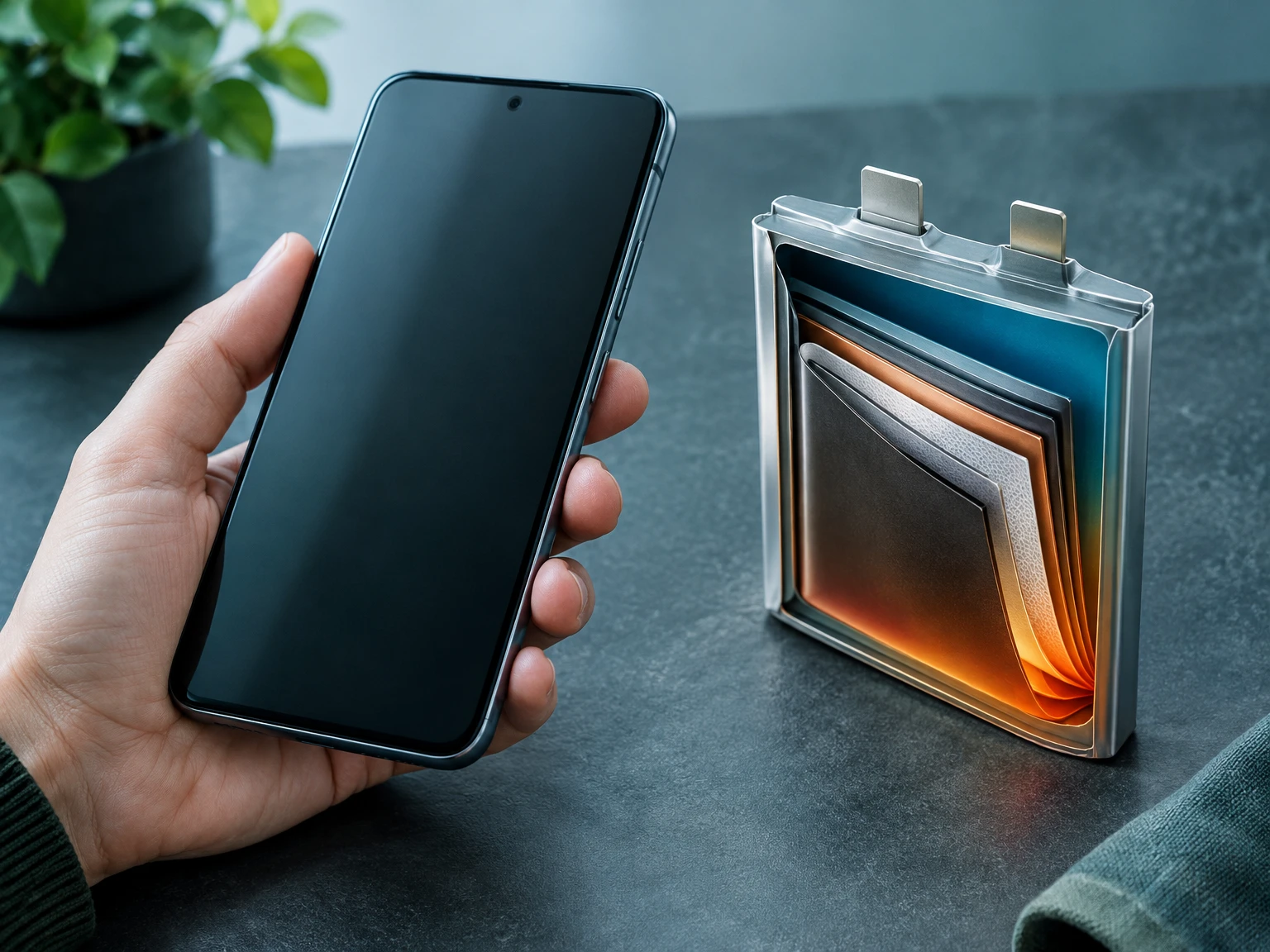
A phone battery can feel mysterious because its charge percentage is visible, while the slow changes inside it are not. One morning the phone reaches the evening comfortably; months later the same routine may leave little reserve. That change is usually not a sudden loss of all capacity. It is the result of ordinary use, time, temperature and the way a rechargeable cell stores and releases energy. Understanding those factors helps separate useful care from charging myths. This guide explains what capacity means, why a battery ages, how charging controls work, what heat and cold do, and when a battery check or replacement may be sensible. The practical aim is not to make a phone last forever or to turn charging into a daily ritual. It is to use the device normally, avoid preventable extremes, and follow the guidance for the exact phone model.
1. Battery life and battery lifespan are different
People use “battery life” for two different things. In everyday conversation it can mean how many hours a phone runs between charges. Engineers and manufacturers also use “lifespan” for the period during which a battery remains useful before its capacity or performance has declined enough that service or replacement is appropriate. A phone that runs out by late afternoon may have a healthy battery facing unusually heavy screen, network or app use. Conversely, a worn battery can still show a high percentage after charging, yet provide fewer hours than it once did. The distinction matters because the first problem may be a usage pattern or software issue, while the second may be normal chemical aging.
Battery percentage is an estimate, not a direct measurement of every joule stored in the cell. The phone combines measurements and software estimates to display a simple number. The displayed capacity, the time remaining and the battery-health indicator therefore answer related but different questions. A single day of fast drain does not diagnose battery damage. Compare similar days, check whether a particular app or weak signal is using more energy, and use the phone’s built-in battery settings before concluding the cell needs replacement.
2. What a phone battery does
Most modern smartphones use rechargeable lithium-ion batteries. During charging, electrical energy drives reversible chemical changes inside the cell; during use, those changes release energy to run the display, processor, radios, cameras and other components. The battery-management system monitors voltage, current and temperature, and coordinates charging with the phone’s software. The system protects the cell by controlling how quickly it charges, pausing or limiting charging under some conditions, and estimating the amount of energy available. This is why a compatible modern phone is not simply a container that accepts unlimited current from a wall socket.
Battery capacity describes the charge or energy a cell can hold under specified measurement conditions. It is useful for comparing cells, but it does not tell the whole story of a phone’s runtime. Screen brightness, video, games, background activity, mobile-network coverage, temperature and software all affect how quickly stored energy is used. Two phones with similar rated capacity can have different endurance because their displays, processors, radios and software differ. Likewise, a larger capacity does not guarantee proportionally longer daily use if the device is running demanding workloads or transmitting in a poor-signal area.
3. Why capacity gradually fades
Rechargeable cells change chemically as they are used and as time passes. Some reactions that support useful charging and discharging become less reversible; internal resistance can rise, and the cell may store less usable energy than when new. Manufacturers describe this as chemical aging or capacity decline. It is gradual, variable and affected by a combination of factors rather than one universal countdown. Apple explains that battery lifespan is related to chemical age, including temperature history and charging pattern, and that chemically aged lithium-ion batteries hold less charge. Samsung similarly warns that extended operation or storage in temperature extremes can accelerate deterioration for Galaxy devices.
Aging does not mean a user made a mistake. Batteries are consumable components, and ordinary charging is part of what they are designed to do. Manufacturing variation, the phone’s design, usage intensity and environmental history all matter. A battery’s decline may be hard to notice for a while, then become more apparent because the phone’s daily routine has little spare capacity. It is better to think of battery health as a trend, not a pass-or-fail score and not a promise that a particular phone will reach a fixed number of years.
4. Charge cycles are not plug-in events
Battery-cycle language is often misunderstood. A cycle generally represents an amount of use equivalent to the battery’s full capacity, accumulated across charging and discharging, rather than one act of connecting a charger. If a person uses part of the battery, recharges, and later uses another part, those portions can contribute toward an equivalent full cycle. The exact counting method, cycle-life specifications and health reporting vary by maker and model, so a number from one brand should not be treated as a universal rule for every phone.
This also explains why charging several times in a day is not automatically harmful. A short top-up does not necessarily equal a complete cycle. What matters for long-term aging is the combination of use, time, heat, charge conditions and the battery’s design. A person who needs the phone throughout a long day can recharge when convenient instead of trying to drain it to empty first. Deeply discharging a phone as a routine “calibration” ritual is not generally needed for modern devices; follow the manufacturer’s instructions if a specific model or service procedure says otherwise.
5. Why heat deserves attention
Heat is one of the most actionable environmental factors because it can stress both the battery and other phone components. Charging and heavy processing can produce warmth; the device may also heat up in direct sun, inside a parked car, under a pillow or while running demanding apps in a hot room. Apple warns that using or charging an iPhone in ambient temperatures above 35°C can permanently reduce battery lifespan. Samsung’s Galaxy guidance gives its own operating range and cautions that continuous use or charging in extreme temperatures can accelerate battery deterioration. These are brand-specific instructions, not a single temperature threshold that applies identically to every handset.
If a phone becomes unusually hot, first remove it from direct sunlight or a hot enclosure and pause a demanding task. Let it cool naturally in a safe, ventilated place. Do not put it in a refrigerator or freezer: rapid temperature changes and condensation can create new problems. If the phone reports a temperature warning, obey the on-screen instruction and wait until it returns to its normal operating range. Persistent abnormal heat, swelling, odor, smoke or a damaged case is different from ordinary warmth and merits prompt professional service advice.
6. Cold can temporarily reduce available power
Cold conditions can make a phone appear to lose charge quickly or shut down unexpectedly, even when the battery is not permanently damaged. Chemical processes slow at low temperatures, and the cell may temporarily be less able to deliver power. Apple notes that iPhone battery life can decrease in a very cold environment and that performance can return when the battery warms back into its normal range. Samsung likewise cautions against extended use or storage below its stated Galaxy operating range. The exact behavior depends on the phone and its battery-management safeguards.
Keep the phone within the maker’s stated range where practical, and allow a cold device to return gradually to a normal temperature before charging or demanding heavy work from it. Do not attempt to force-warm it with a heater, hot water or direct flame. If symptoms persist after the phone is back at a moderate temperature, consider other explanations such as battery aging, software activity, poor network conditions or a hardware fault. A temporary cold-weather percentage drop alone is not enough evidence that the battery permanently lost capacity.
7. Is charging overnight safe?
Many owners plug in at bedtime, and modern phones are designed to manage charging rather than continue accepting unrestricted power after reaching the target. Apple says an iPhone automatically stops charging when full, making overnight connection safe for that device; it may resume if the level falls sufficiently. Its Optimized Battery Charging feature can delay completion so the phone spends less time fully charged. Other manufacturers implement their own protections and settings, so check the instructions for the exact model rather than assuming every feature works the same way.
Safety guidance does not mean every charging environment is ideal. Avoid leaving a device or cable in a hot, poorly ventilated place, and use compatible, undamaged charging equipment. Keep a phone away from bedding that traps heat when the manufacturer advises against it, particularly if the device becomes warm. A scheduled charging feature may be useful, but it is not a reason to worry if a healthy phone is connected overnight in ordinary conditions. If a phone, adapter or cable is damaged, unusually hot, or behaving abnormally, stop using the suspect equipment and seek qualified help.
8. Must a phone reach zero before charging?
No daily “empty first” ritual is needed for typical modern lithium-ion phones. Waiting until the battery is nearly depleted before plugging in can make the device less convenient and does not reverse chemical aging. A phone’s own charge-management system is designed around ordinary partial recharges. If a particular manufacturer publishes an exception for a device or a diagnostic procedure, follow that model-specific direction, but do not assume that an old advice column about a different battery chemistry applies to a current smartphone.
Partial top-ups can be a sensible way to keep enough energy for the day. The aim is not to keep the phone within a narrow percentage band at all times. Use the charge that fits your routine, and let the phone’s settings handle the protections the manufacturer provides. If the phone must be ready for an emergency, work call or travel, prioritize having the charge you need; a small theoretical reduction in aging is not worth making the device unusable when you need it.
9. Should you always stop at 80 percent?
Some phones offer a charge limit or an optimized-charging mode that reduces time spent at a high state of charge. These options may help reduce wear under some patterns, but the names, availability and behavior differ by model and software version. Apple’s current guidance describes charge limits on supported iPhone models and explains that Optimized Battery Charging can defer charging above a threshold in certain situations. This does not establish that every device should be capped at 80 percent or that a person who charges to 100 percent has damaged a battery.
Choose a setting based on the phone maker’s explanation and the way you use the device. If you often have access to a charger and do not need a full charge, a supported limit may be convenient. If a long day away from power is ahead, charging fully can be the practical choice. The phone’s battery-health feature is intended to support ordinary use; it should not become a source of guilt or repeated manual adjustments. A feature that quietly adapts to a charging routine can be more helpful than a rigid schedule the owner must constantly manage.
10. Fast charging and what it can and cannot do
Fast charging is a negotiated feature: a phone, charger and cable must support compatible power standards and the device controls how much power it accepts. It does not mean the battery receives the same high rate from empty to full. Charging often slows as the battery approaches its upper range or when temperature and other conditions call for a protective limit. This tapering is one reason a short charge may add a useful amount of energy while the last portion takes longer. Exact rates and behavior are model-specific; a charger’s maximum printed wattage does not prove the phone will draw that amount.
Use a charger and cable that the device maker identifies as compatible and avoid damaged or poorly fitting accessories. A reputable third-party accessory may be compatible when it meets the phone’s supported standard, but the brand name or wattage alone is not enough to judge a specific product. If fast charging makes the phone warm, reduce heat by moving it to a ventilated location and pausing demanding tasks. Do not cover it or use improvised cooling. When speed is not needed, a slower compatible charge may be a comfortable option, but there is no need to treat fast charging as automatically dangerous.
11. Heat from using the phone while charging
Charging while using a phone is common and not automatically a fault. The combination of charging and intensive workloads, however, can raise temperature because both the battery and processor may be producing heat at once. Gaming, video recording, navigation, hotspot use and a weak cellular signal can make a phone work harder. In a cool environment with a normal task, the device’s safeguards usually manage ordinary operation. In a hot environment or with a demanding workload, it may slow charging, dim the display or show a temperature warning.
If a device becomes hot during a call or game while charging, pause the most demanding activity and move it away from sunlight or enclosed surfaces. Check whether a case is trapping heat only if the maker recommends removing it in that situation. Do not assume every warm phone is dangerous, but do not ignore repeated warnings or sudden shutdowns. A pattern of excessive heat when idle, during light tasks or with different compatible chargers is a reason to stop experimenting and consult the maker or a qualified service provider.
12. Why battery percentage sometimes jumps
The percentage on screen is an estimate derived from battery measurements and software models. A phone may show a sudden change after restarting, updating, moving between temperatures or changing workload because the estimate is being recalculated or because the battery’s ability to deliver power changed under those conditions. A percentage display is useful for planning, but it is not a laboratory test of remaining capacity. One jump is not proof of a failing battery; repeated large drops, abrupt shutdowns or a battery-health warning deserve more attention.
To investigate, note the charge level, what the phone was doing and whether it was hot or cold. Review the built-in battery-use screen for apps and services using a large share of energy, and compare several days rather than reacting to one unusual reading. Install normal system updates from the device maker when appropriate, because software can affect usage and reporting. Avoid third-party apps that promise to repair battery chemistry or dramatically improve capacity; software cannot restore material that has chemically aged.
13. Background drain is not always battery damage
Battery drain can change when a phone is syncing data, restoring a backup, indexing photos, updating apps or searching for a mobile network. A recently installed app or a change in location can also shift usage. In a weak-signal area, a phone may use additional energy to maintain connectivity; this can make the same device last fewer hours without any battery-health change. Display brightness, refresh rate, camera use, hotspot activity and navigation are further contributors. The battery-use screen can help identify where energy went, though its percentages describe share of recent use rather than a direct measure of hardware condition.
Look for a repeated pattern and make one small test at a time. If one app consistently dominates background use, check its permissions and background settings. If the drain happens only in one location, compare the signal and network activity there. Avoid disabling every feature blindly: connectivity and location services have practical uses, and a reduction in convenience may not be worthwhile. When the battery-health report suggests service, or the phone shuts down unexpectedly, pair the usage investigation with the manufacturer’s service guidance instead of assuming settings alone will solve it.
14. Wireless charging and warmth
Wireless charging transfers energy through coils in the phone and charging stand. It can be convenient, but alignment, accessory design, case thickness and the phone’s workload may affect efficiency and heat. Some warmth during charging can occur; the phone may reduce charging speed if temperature rises. The specific compatibility standards and accessory requirements vary. Use a charger recommended or certified for the device, place the phone as its instructions describe, and avoid foreign metal objects or damaged equipment on a charging surface.
If wireless charging is noticeably hotter or slower than expected, check that the phone is centered, the case is compatible, and the stand and cable meet the maker’s specifications. Compare with a compatible wired charger if that helps isolate the issue. Do not assume that wireless charging itself ruins a battery: temperature and usage are the relevant concerns, and the phone’s system manages charging. If the phone repeatedly gives a temperature warning, stops charging, or heats abnormally with multiple supported accessories, consult the manufacturer rather than trying homemade cooling or unfamiliar hardware.
15. Cases, sunlight and enclosed spaces
A phone case protects against everyday bumps, but a closed case and a warm environment can make heat harder to dissipate. The effect depends on the phone, case, task and surroundings. Direct sun can quickly heat a handset, especially behind glass or on a dashboard. A parked vehicle can become much hotter than outdoor air. Apple specifically warns against using or charging an iPhone above its stated ambient-temperature guidance; Samsung gives separate Galaxy temperature guidance. These warnings support a simple habit: do not leave a phone charging in direct sun or inside a hot car.
When a phone is warm, move it to shade and allow it to cool naturally. If the case is unusually thick or the phone maker recommends removal during high-heat charging, follow that advice. Avoid covering a charging device with blankets or placing it under cushions. Do not use ice packs or refrigerators because moisture and sudden temperature swings can damage electronics. These practical steps are more useful than trying to keep the phone at a precisely optimized temperature all day.
16. Storing a phone for a long time
If a phone will be unused for an extended period, its maker’s storage advice is more relevant than day-to-day charging rules. Samsung recommends for Galaxy devices powering down and storing around 50–70 percent, in a cool, non-humid environment, and checking the charge periodically; it also warns that leaving a device depleted for a long time can accelerate battery decline. Apple’s battery performance guidance likewise advises storing an iPhone at about half charge for long-term storage and avoiding hot environments. Follow the current instructions for the precise model because details may change.
Before storage, back up important data, power down if instructed and place the device in a safe, dry location away from heat. A fully depleted battery that remains unused may become difficult to recharge; a fully charged cell left stored for a long time is not the ideal default either. Do not leave a device with a swollen or damaged battery in storage. If you are storing a phone for a very long interval, check the manufacturer’s recommendations rather than improvising a recurring charging routine based on advice for another brand.
17. Battery-health menus: useful but limited
Many phones provide a battery-health or service screen. The wording, percentages and available measurements differ across manufacturers and models. On supported iPhones, battery settings can show health-related information and charging options; on Galaxy devices, Samsung describes settings and diagnostics that can help identify battery issues. These screens can be useful clues, but they are not interchangeable across brands and do not reveal every reason a phone drains quickly. A reported maximum capacity is an estimate under the device’s model and should be read with the accompanying service guidance.
Use the built-in report as part of a broader picture: actual runtime, unexpected shutdowns, charging behavior and any warning shown by the phone. If the maker recommends service, obtain an assessment from an authorized or qualified provider. Do not try to open a sealed phone or replace an internal cell without the training and tools the manufacturer requires. A battery-health number by itself does not justify a costly repair if the phone still meets your needs; conversely, a reassuring number does not override swelling, damage or other urgent symptoms.
18. When replacement or service may be appropriate
A battery may need service when the phone’s own diagnostics recommend it, runtime has become consistently inadequate for the owner’s normal use, the device shuts down unexpectedly, charging fails across known-good compatible accessories, or the phone shows physical changes such as a lifted screen or swollen case. These signs are not interchangeable: a screen that lifts can have more than one cause, and an unexpected shutdown can result from software or temperature as well as aging. A qualified service provider can inspect the device and explain available options for that model.
Back up data before repair when possible, use the manufacturer’s service route or a reputable qualified provider, and ask about the battery part, warranty and repair terms. Avoid puncturing, bending, crushing or prying open a lithium-ion cell. If the phone is smoking, hissing, leaking or rapidly heating, keep people away, do not handle it unnecessarily, and contact local emergency or hazardous-material guidance. Do not place a visibly swollen or damaged battery into ordinary household recycling or the trash.
19. Battery safety and disposal
Lithium-ion batteries contain materials and stored energy that can create a fire if the battery is damaged, crushed, short-circuited or handled improperly. The U.S. Environmental Protection Agency says used lithium-ion batteries and devices containing them should not go in household trash or ordinary municipal recycling bins. Instead, use an appropriate battery collection point, retailer take-back program, manufacturer route or local household hazardous-waste program, following the local authority’s directions. These programs differ by location, and not every collection bin accepts every device or battery type.
For a phone with a built-in battery, do not try to remove it unless the manufacturer designed the process for consumers and gives instructions. If a battery is swollen or damaged, contact the maker, a qualified repair shop or local hazardous-waste authority for safe handling instructions before transport. Do not mail a damaged battery without checking carrier rules. Keep spare cells from touching metal objects if the recycling program instructs you to bring them separately. Safe disposal protects collection workers, facilities and the environment; the simplest correct route is the one accepted by local official guidance.
20. Myths worth retiring
“You must let every new phone drain to zero before its first charge” is old advice that should not be applied automatically to a modern lithium-ion device. “Every overnight charge overfills the battery” ignores the device’s charge-management system and the maker’s specific guidance. “A 100-watt adapter forces 100 watts into every phone” confuses a charger’s maximum capability with the power a compatible phone negotiates and accepts. “One full charge equals one cycle” confuses plug-in events with accumulated use. Each claim strips away the model-specific details that determine what actually happens.
Another common myth is that a battery app can chemically restore capacity. An app may report usage or estimate health, but it cannot reverse chemical aging. A setting can reduce certain kinds of stress, but it cannot make a consumable battery immortal. When advice sounds absolute—never charge overnight, always stop at a fixed percentage, or avoid all fast charging—check the phone maker’s current documentation. A routine that is reasonable on one model may be unnecessary or unavailable on another.
21. A practical charging routine
A sensible routine is deliberately simple. Charge when you need enough energy for the day; do not wait for zero as a ritual. Use a compatible, undamaged charger and cable. Keep the phone away from prolonged high heat and direct sun, and heed the device’s temperature warnings. If the phone offers optimized charging or a limit and the feature suits your schedule, use it; if a full charge is useful, use the phone normally. Check the built-in battery screen when a drain pattern changes, and distinguish app or signal use from signs of physical battery wear.
When the phone is not in use for a long time, follow the maker’s storage instructions for that model. When it eventually needs service, use a qualified route and recycle the device or battery through a program that accepts it. The routine does not require measuring every charge, constantly adjusting settings or buying a special accessory. Good battery care is mostly about avoiding avoidable extremes and using the protections already built into the device, not policing every percentage point.
22. A short troubleshooting sequence
When runtime suddenly changes, start by asking what changed: a new app, software update, travel, weaker signal, brighter display, more video calls, or warmer weather. Review the phone’s recent battery-use display. Restart once if the phone is behaving oddly, and update software through the ordinary supported process when appropriate. Charge with a known-compatible, undamaged accessory and watch whether the device reports a temperature or charging warning. Compare similar periods over several days instead of changing many settings at once, which makes it harder to identify a cause.
If the problem persists, consult the manufacturer’s diagnostic and service instructions. Do not download unknown “battery repair” tools, open the phone, or follow instructions that ask you to disable safety controls. Seek professional support sooner if the battery is physically swollen, the phone is damaged, it repeatedly shuts down at moderate charge or it becomes hot during light use. If the phone is functioning normally and the drain occurred during an unusually demanding day, one observation may not justify service.
23. Making a decision without chasing perfection
Battery care involves trade-offs. Charging to a lower limit may slightly reduce time spent at a high state of charge in some circumstances, but it also gives the owner less energy to use before the next charge. Carrying a phone that is too low for a commute or work shift is not a meaningful improvement. A charging feature is useful when it quietly fits a routine; it is not a requirement to optimize every hour. The right choice depends on whether the owner values maximum available runtime today, convenience, or reducing one source of long-term wear.
It is also important to keep expectations realistic. Avoiding heat can help prevent unnecessary stress, but it cannot stop aging. A new battery can restore practical runtime when the old one has become limiting, but repair cost, availability and device condition matter. The phone maker’s current support page and qualified service assessment are more reliable than a single universal percentage threshold. Use the information as a guide to decide what matters for your own device, not as a test you must pass to have charged it “correctly.”
Conclusion: use the phone, avoid extremes
A smartphone battery is a carefully managed consumable, not a fragile object that must be micromanaged. Its displayed charge is an estimate; its useful lifespan reflects chemical aging, temperature, charging patterns and the phone’s workload. Partial charging is normal, overnight charging is managed by modern devices according to maker-specific safeguards, and a high-wattage adapter does not by itself determine the power entering a phone. Heat and long periods of extreme conditions are worth avoiding, while cold can cause a temporary performance drop. Health menus and battery-use screens help investigate patterns but do not diagnose every problem alone.
Follow the current instructions for your exact phone, use compatible equipment, seek qualified service when the device shows persistent or physical symptoms, and use an accepted collection program for end-of-life batteries. If your present routine works, there is no need to replace it with a complicated set of charging rules. A few calm habits—keep the device out of intense heat, charge when useful, heed warnings and dispose of batteries responsibly—are enough for most everyday use.
Sources and scope
- Apple Support, “Charge and maintain your iPhone battery” — iPhone-specific battery aging, charging behavior and temperature guidance.
- Apple Support, “About Charge Limit and Optimized Battery Charging on iPhone” — supported iPhone charging features and their conditions.
- Apple Support, “iPhone battery and performance” — iPhone lithium-ion performance, chemical age and service-related information.
- Samsung Support, “Care & Maintenance” — Galaxy-specific operating temperature, charging and long-term storage guidance.
- U.S. Environmental Protection Agency, “Used Lithium-Ion Batteries” — U.S. disposal and recycling guidance; local rules and accepted collection routes vary by place.
- U.S. Department of Energy, “Consumer Guide to Battery Recycling” — consumer safety and recycling context.
Brand-specific feature descriptions and temperature limits in this article apply only to the named manufacturers’ guidance; check current documentation for the exact handset, region and software version. This is general educational information, not a diagnosis of an individual battery or a substitute for the device maker’s service instructions. The EPA and DOE references describe U.S. routes; readers elsewhere should follow their local official collection rules.
This content is a collection of ancient history,books and various articles and collection of library and news and other post ; all details may not be the same. Readers are requested to verify the information themselves. Readers are not allowed to take any disciplinary action; content is only for educational purposes. If readers do not agree about the contents, they may send a personal comment to my personal email ID: achary.purna@gmail.com
