
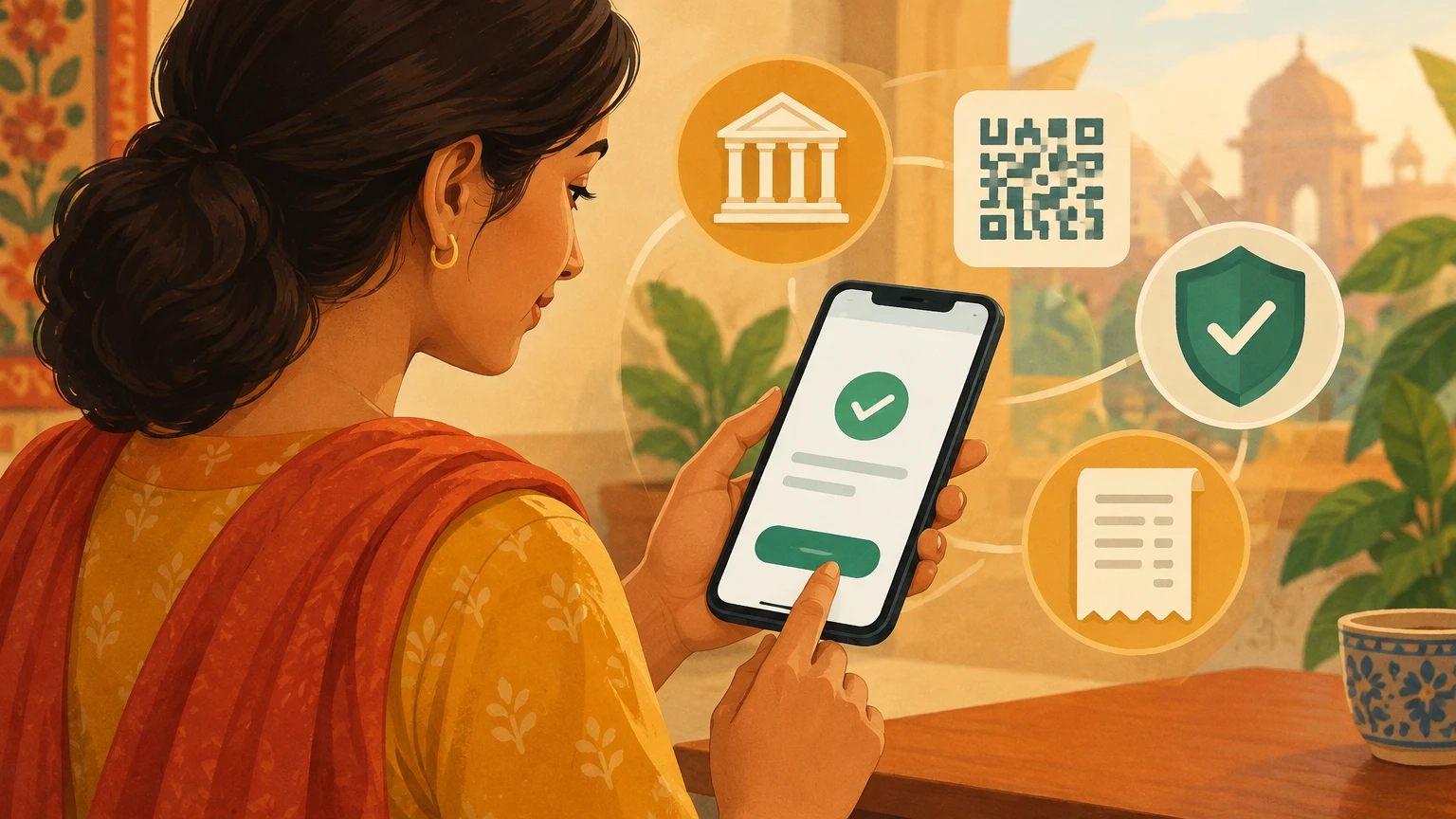
Unified Payments Interface, usually shortened to UPI, has made it possible to send money between bank accounts through a mobile app, scan a QR code or pay a participating merchant. The ease of a few taps can make the system feel like a standalone wallet, but a bank account remains at the centre of many UPI transactions. Knowing which institution holds the funds, which app presents the controls, and where a complaint should go can make everyday use clearer and safer. This guide explains the bank-linked model in plain language, describes common payment journeys, and sets out a careful response to errors and suspected fraud. It is educational information, not a substitute for a bank’s current terms, a regulator’s rules or advice on an individual dispute. Screens and processes can differ between banks and apps, so use the latest instructions shown by your bank.
1. What “through a bank” means
UPI is an interoperable payment system developed by the National Payments Corporation of India, or NPCI, over the Immediate Payment Service infrastructure. In ordinary use, a person authorises a transaction in a UPI-enabled application, while the underlying debit and credit are associated with bank accounts. The app is the interface; it is not necessarily the institution that holds the balance. Depending on the service and transaction, the participating banks and payment-system components route and process the instruction. This distinction matters when checking a balance, setting a limit or reporting a problem: the app may show a status, but the account statement and the bank’s records are important evidence of what happened. UPI’s interoperability means users can transact across supported apps and banks, subject to each participant’s current availability and rules. It does not mean every account, feature or transaction is supported by every app.
2. The roles of the people and institutions
A typical payment has a payer, a payee, a payer’s bank, a beneficiary’s bank, an app or provider interface, and the UPI network operated under NPCI’s system. A merchant may also use an acquiring bank or payment service provider to accept payments. These roles are not always visible to the customer, and the same brand may provide more than one service. The payer’s app helps identify the account, present the payment details and collect authorisation; the bank account is where the debit is recorded. On the receiving side, a bank or merchant system reports whether the credit was accepted. NPCI operates the payment framework and provides a complaint channel, but its own complaint guidance says the member institution remains responsible for resolution. Keeping these roles separate helps direct a query: account debit or reversal questions usually begin with the bank, while an app display problem may also need the app provider’s support.
3. A payment address is not a bank balance
A UPI ID, also called a Virtual Payment Address in some material, is an identifier used to address a payment. It is not itself a bank account number, a password or proof that a recipient is trustworthy. A phone number may help discover an account in an app when the number matches the mobile number registered with the bank, but the app’s precise discovery options vary. A person can link more than one supported bank account in an app and select which one to use, but the selected account should be checked before authorising each payment. Do not rely on a saved name, old chat or profile image alone to identify a recipient. Where the app displays a verified account or beneficiary name, compare it with the person or business you intend to pay. If the displayed identity is unfamiliar or inconsistent, stop and confirm through a separate trusted channel.
4. Getting started carefully
Start with an official app supplied by a bank or a recognised UPI participant. Download it from the bank’s official website or the app store listing you have independently checked; do not follow a download link sent by an unknown caller. Registration commonly involves the phone associated with the bank account and device or SIM verification. The exact screens, eligibility rules and supported accounts depend on the participating provider. Before enrolling, confirm that the phone is under your control, has a screen lock, and can receive the verification messages needed by the bank. Read the app’s permissions and privacy explanation rather than granting access merely because a caller says it is required. If the enrolment process fails, contact the bank through the number or support route printed on its official website, card or statement. A failure to register does not justify sharing an OTP or PIN with anyone who offers to “fix” it.
5. Linking the right account
When the app discovers eligible accounts, take a moment to confirm the bank name and any masked account details before linking. If several accounts are listed, make a deliberate selection instead of assuming the first one is the intended account. Check which account is selected for outgoing payments and which account is expected to receive funds. A business and personal account may have separate records, limits or approval arrangements; using the wrong one can complicate reconciliation even when the transfer succeeds. If a new phone, SIM or account change is involved, follow the bank’s own process and be cautious about unexpected messages asking you to re-register. Do not share a device with someone who could authorise transactions in your name. Where a business has multiple users, define who can initiate, review and reconcile payments under its internal controls. UPI’s convenience should not replace the normal separation of financial duties.
6. The UPI PIN: what it does and does not do
The UPI PIN is a secret authorisation credential for transactions that debit the linked account. Enter it only on the genuine UPI authorisation screen in the app you opened yourself. Never disclose it to a caller, merchant, bank employee, police officer, support agent or family member asking to “verify” a payment. A PIN is not needed to receive money. NPCI’s safety guidance also warns that scanning a QR code is for making a payment, not for receiving one. Some apps may ask for PIN entry to approve a debit, depending on the operation; do not interpret a request for the PIN as harmless simply because the other person claims a credit is waiting. If a PIN is entered incorrectly, the bank or app may restrict further attempts temporarily. Use the bank’s recovery process rather than repeatedly guessing. A PIN reset does not prove the account is secure if the phone or SIM may also be compromised.
7. Sending money to a person
Before sending, confirm the recipient’s UPI ID, phone number, QR code or bank details using information obtained from a trusted source. Enter the amount yourself and read the confirmation screen from top to bottom: payee name, amount, selected account and any note. If someone has sent an invoice or payment request, verify it with that person or business using a contact method already known to you. Scammers can impersonate a familiar contact or create a look-alike identifier. A small “test” transfer is not automatically safe; it still sends real money and may disclose that the account is active. Do not let another person hold your phone or guide your fingers while you approve a payment. After authorisation, save the transaction reference and check the in-app status. For important payments, compare the debit in the bank statement with the recipient’s confirmation rather than relying on a screenshot supplied by either side.
8. Paying a shop or service provider
At a counter, check that the displayed merchant name matches the establishment before scanning a QR code. A QR code can direct money to an account that is not the shop you intended, so ask staff to confirm the merchant identity if it looks unfamiliar. Enter the exact bill amount if the app does not populate it, and review the final screen before authorising. Keep the receipt or transaction reference until the merchant confirms the sale. If a payment is shown as pending, do not immediately pay again merely because the screen is slow or the cashier is impatient. Check the bank account and transaction status first; duplicate payments can happen when a customer repeats an instruction without understanding the first one. If the merchant disputes a successful payment, share the reference through the merchant’s official support channel, not on a public social-media post. Never show a full banking screen to a stranger when a receipt or reference number will do.
9. QR codes and the direction of money
QR codes reduce typing, but they do not make a payment inherently safer or more authentic. A code may encode a recipient identifier, a merchant reference or an amount; the receiving name and final amount should still be reviewed in the app. Be particularly cautious with stickers placed over a shop’s original QR code, codes sent in unexpected messages and instructions to scan a code to “receive” a refund or prize. In normal UPI use, a person does not scan a code or enter a PIN merely to receive money. A request that reverses this basic direction is a warning sign. If a code is unclear, ask the business for a fresh one through a trusted channel. For remote payments, do not let another person share their screen and instruct you to approve an unknown request. A QR is an address for a payment flow, not proof of the sender’s identity, a guarantee of the item’s quality or a cancellation mechanism.
10. Collect requests and payment requests
Some UPI flows let a payee request money from a payer, sometimes called a collect request. Treat such a request as a proposed debit, not as a receipt or refund. Read the name, amount and reason carefully, and decline anything you did not expect. A request from a familiar contact can still be mistaken or fraudulent if the person’s account is compromised. Contact the supposed sender separately before approving an unfamiliar request. Do not approve a request simply because a caller says it will release a credit, reverse a failed payment, confirm KYC or unlock an account. If your app offers a feature to request payment from a customer, explain clearly that the customer must review and authorise the debit in their own app. A merchant’s payment link or request should display a trustworthy business identity and amount. Keep the request record alongside the invoice or order so that later disputes can be matched to the correct transaction.
11. Recurring payments and mandates
Some participating UPI apps and banks support recurring mandates for eligible use cases. A mandate is different from a one-off transfer: it can allow future debits under the displayed conditions, subject to the particular service and authorisation rules. Before approving one, inspect the recipient or merchant, frequency, amount or maximum amount, start and end dates, and the process for pausing or cancelling. The exact terms depend on the mandate type. Save the confirmation and note the renewal date. If you no longer want the service, cancel the mandate through the app or bank route that controls it and keep the confirmation; merely uninstalling an app or deleting a shortcut may not cancel a bank instruction. Review account statements after cancellation to verify what actually happened. If a debit appears after a cancellation request, raise it promptly with the bank and the merchant. Avoid approving a mandate while rushed or while a caller is coaching you through the screen.
12. Reading payment statuses
Apps may show labels such as successful, pending, failed or reversed, but wording and timing can vary. A “pending” status means the final outcome may not yet be available to the interface; it is not the same as proof that the recipient received funds. A “failed” message on one screen does not by itself establish whether a debit occurred. Check the transaction details and the account statement, and retain the reference number. If the bank has debited the payer but the recipient has not received credit, the transaction may require bank investigation or an applicable reversal process. Do not assume that every system error will correct itself within the same interval. Follow the current timeline communicated by the bank or NPCI channel for that transaction type. If a status remains unclear, contact the bank with date, amount and reference, using official support details. Avoid sharing PINs, OTPs or full account credentials while asking for status.
13. What to do when a payment seems stuck
First, pause. Do not initiate the same payment again until you have checked whether the first instruction appears in the app’s transaction history and the bank account. Note the displayed status, timestamp, amount, recipient and reference. Ask the recipient to check their own account or merchant system rather than relying only on a notification banner. If there is no debit and no completed transaction, the bank can advise whether it is safe to retry. If the account was debited, report that fact and ask the bank to trace the transaction or explain the reversal process. Keep screenshots only if they are useful and avoid posting them publicly; they may expose private details. If the app crashes, do not keep tapping an authorisation button. Close and reopen the official app, then inspect transaction history. The bank’s ledger and formal response matter more than a screenshot of a temporary interface state.
14. Reversals, refunds and merchant disputes
A reversal of a failed transfer, a refund from a merchant and a chargeback-like dispute are not necessarily the same process. Their handling depends on the payment type, bank, merchant arrangement and current system rules. A person who wants a merchant refund should first contact that merchant through its official channel and retain the order and payment evidence. A person whose account shows a debit without the expected credit should report the transaction to the bank as a failed or disputed transfer. A person who did not authorise a debit should say so clearly and report suspected unauthorised activity immediately. Do not accept a caller’s instruction to install a remote-access app or share a screen in order to “receive” a reversal. Do not pay an extra fee to an unknown account to release a refund. Where a merchant asks for proof, share only the minimum transaction details needed and redact unrelated balances or personal information.
15. Protecting the phone and app
Security begins with the device that holds the payment app. Use a screen lock that another person cannot easily guess, keep the operating system and genuine apps updated, and avoid installing software from links sent by strangers. NPCI warns against downloading screen-sharing or SMS-forwarding applications at the request of unknown people; those tools can expose sensitive activity. Keep notification previews private if they may show financial details. Do not leave an unlocked phone at a counter or hand it to someone who says they need to “help” with a payment. If the phone or SIM is lost, contact the mobile provider and bank promptly using official contact details to ask how to block or protect access. A stolen device is not merely a hardware problem if it can receive verification messages or access a logged-in app. Use a trusted network for account management and avoid conducting sensitive banking on public shared devices.
16. Recognising social-engineering pressure
Fraudsters often create urgency, fear or a reward: a parcel will be blocked, a refund expires in minutes, a KYC record is suspended, a job payment is waiting, or an official needs a code. The story may sound plausible, and caller ID or a profile name can be spoofed. Treat unexpected pressure as a reason to stop, not as evidence that the caller is genuine. Banks and regulators do not need a customer to reveal a UPI PIN or OTP over a call. If a caller asks you to scan a QR code, approve a collect request, install an app, share your screen or move money to a “safe account,” end the conversation. Find the institution’s contact information independently from its official website, statement or card. Tell a trusted person if you feel rushed. If you already shared a credential or authorised a suspicious debit, contact the bank immediately; do not wait for the caller’s promised follow-up.
17. If you suspect unauthorised activity
Use the bank’s official emergency or fraud-reporting channel as soon as possible. Explain what happened, when you noticed it, whether you approved anything, and whether a phone, SIM, PIN or OTP may have been exposed. Ask the bank to block or secure affected access and record the complaint number. If the device is compromised, use a separate trusted phone or computer to contact the bank. Change credentials only through the bank’s verified process; do not follow a link supplied by the suspected fraudster. Preserve relevant messages, call details, transaction references and bank acknowledgements without editing the originals. Do not delete records that may help a later investigation. The RBI’s guidance on unauthorised electronic transactions makes timing important, but liability depends on the circumstances and the applicable rules. Reporting quickly can protect your position; it does not guarantee a particular outcome or refund. Follow up in writing and keep proof of submission.
18. How to make an effective bank complaint
Start with the bank that holds the account or the institution identified in the transaction record. Use a complaint route the bank officially publishes, such as its app, website, branch or customer-care channel. State the problem in chronological order: transaction date and time, amount, recipient or merchant shown, reference number, account debit or credit status, and the remedy you are requesting. Attach only relevant evidence and mask unrelated account details. Ask for an acknowledgement or complaint number and save it. If you speak by phone, record the call date, time and the reference given, then send a written follow-up if the bank’s process allows. Be precise about what is known and what is still uncertain; for example, say “the app shows pending and my statement shows a debit” rather than concluding fraud without evidence. A clear complaint makes it easier for the bank to trace the transaction and preserves a useful record if escalation becomes necessary.
19. NPCI’s complaint channel and escalation
NPCI offers a UPI complaint facility that can help customers raise or track certain complaints through the payment ecosystem. Its guidance describes NPCI’s role as facilitating complaint routing and status, while the member bank or institution remains responsible for resolving the issue. A customer should therefore follow the bank’s process and use NPCI’s channel where appropriate, rather than assuming that filing at NPCI itself settles the dispute. Choose the complaint category that best matches the transaction and provide accurate reference details. Do not submit duplicate complaints with conflicting facts merely to attract attention. Save the acknowledgement and monitor the status. For a suspected fraud or unauthorised debit, report first and promptly to the bank; do not wait for an NPCI status update before taking protective steps. If the provider’s screen or current instructions differ from this general guide, follow the instructions shown by the official service and preserve a copy of the response.
20. When the RBI Ombudsman may be relevant
The Reserve Bank of India’s Integrated Ombudsman Scheme provides a cost-free grievance-redress route for eligible complaints about deficiency in service by a covered RBI-regulated entity. In general, a customer must first complain to the regulated entity. Escalation may be available if there is no response within 30 days, if the complaint is wholly or partly rejected, or if the response is unsatisfactory, subject to scheme requirements and exclusions. The RBI’s current rules also set filing time limits; the applicable window differs depending on whether the institution replied. The complaint may be lodged through the RBI’s Complaint Management System at cms.rbi.org.in. The RBI’s IVRS number 14448 can provide information and assistance, but the FAQ says a complaint cannot be lodged through IVRS. Read the scheme’s eligibility rules before filing. The Ombudsman is not a shortcut around first approaching the bank, and not every disagreement or claim falls within the scheme.
21. Time limits and customer liability need care
RBI guidance on unauthorised electronic banking transactions distinguishes circumstances such as a bank-side deficiency, a third-party breach, or a customer sharing credentials. It emphasizes prompt reporting and links some liability outcomes to how quickly the customer notifies the bank after receiving an alert. The precise result depends on the facts, the type of transaction, the customer’s conduct, the bank’s policy and the applicable RBI directions. A customer who voluntarily shared a credential may be treated differently from someone whose account was compromised without their negligence; a delay in reporting can also matter. These points should not be reduced to a blanket promise that every victim receives a full refund or bears no loss. Report immediately, request the bank’s written explanation of the applicable rule, and preserve its response. If the bank’s handling appears deficient, use the available escalation route within the relevant time limits. Seek qualified advice for a high-value or contested matter.
22. Records that help customers and small businesses
Keep a simple, private record of significant UPI payments: date, amount, recipient or merchant, purpose, transaction reference and whether the bank statement shows a debit or credit. For household transfers, this can clarify shared expenses without collecting unnecessary personal details. For a business, reconcile payments against invoices, orders and settlement reports; do not treat a screenshot as accounting evidence by itself. Limit access to transaction records to people who need them for a defined task. If you export a statement, store it securely and avoid forwarding it to public groups. When asking a bank or merchant for help, provide the smallest set of details needed to find the transaction. Retain acknowledgements and complaint numbers alongside the transaction record. A well-organised record can reduce confusion between a payment request, a successful debit, a pending transaction and a later refund. It also helps identify duplicate entries without making a second payment by mistake.
23. Accessibility and shared-device considerations
Digital payments can help people who find cash or branch visits difficult, but access is not equal for everyone. A person may have an older phone, limited data, low vision, a language barrier, limited dexterity or dependence on a shared device. Use official accessibility settings and the language options provided by the app where available. Read amounts aloud or use a trusted person to check a screen only if that person is not given the PIN or authority to approve a payment. On a shared device, sign out where appropriate, protect notification previews and do not save credentials in a browser that others can access. If someone relies on assistance, agree in advance which actions they can take and which require the account holder’s direct review. Providers’ accessibility features and processes change, so check the current app or bank support. A design that works for one customer may not work for another; do not assume a failed screen is user error.
24. UPI in commerce: useful controls, not just speed
For a small shop, UPI may reduce the need to handle cash and can make payment records easier to match to sales. A merchant should choose a supported product through its bank or provider, understand settlement timing and fees, and confirm how refunds and disputes are handled. Display a verified business name and a reliable support contact. Train staff not to accept screenshots as proof of settlement; check the merchant’s own app or bank account. Establish a rule for pending transactions so that customers are not asked to pay twice without a status check. For online orders, show the total amount, seller identity, cancellation terms and a genuine way to contact the business. Keep payment records linked to order references, with access limited to authorised staff. Payment technology can help streamline operations, but it does not replace inventory control, customer service or accurate bookkeeping. Confirm current product terms with the bank or service provider before relying on a feature.
25. Common misunderstandings
“A UPI ID is my account number” is misleading: it is a payment address and should be treated as an identifier, not as a secret. “I need to enter a PIN to receive money” is a warning sign; NPCI’s safety material says a PIN authorises a debit, not receipt of funds. “The app says failed, so no money moved” is not safe to assume; check the bank account and transaction record. “A screenshot proves payment” is also unreliable because a screenshot can be outdated or altered; the recipient should verify the credit in their own records. “NPCI will directly refund me” misstates its complaint role; the member institution is responsible for resolution. “A successful transfer can always be cancelled” is not a dependable rule; act promptly and ask the bank or merchant about the applicable process. Understanding these distinctions does not eliminate risk, but it helps customers avoid common mistakes and ask institutions more focused questions.
26. A practical checklist before and after paying
Before paying, open the official app yourself; confirm the selected bank account, recipient or merchant name, amount and purpose; and stop if a caller is rushing you or asks for a PIN, OTP, QR scan to receive funds or screen sharing. Authorise only the transaction you intend. After paying, note the reference and check the in-app history and bank statement when the payment matters. If the status is pending or unclear, do not repeat the transfer until you have checked whether a debit occurred and asked the bank what to do. If a payment went to the wrong person, or an unauthorised debit appears, contact the bank promptly through an official route and retain the complaint number. For a merchant issue, keep the invoice and contact the merchant through verified details. If the bank’s response is missing or unsatisfactory, check the current NPCI and RBI escalation procedures and their time limits. Never publish full statements, credentials or unredacted transaction screens online.
27. Choosing a thoughtful routine
Safe use is a habit rather than a single setting. Keep the app and device maintained, review linked accounts and mandates periodically, and remove access you no longer need using the bank’s process. Check bank alerts, but remember that a message can be spoofed: verify through the official app or a known contact route. For larger or unusual payments, pause long enough to read the confirmation screen and compare the recipient with a trusted record. When a family member or staff member helps with payments, explain what they may view and what they may never authorise. If an unfamiliar request arrives, take time to verify it independently. A genuine service should withstand a brief pause. Keep the bank’s official fraud-reporting information accessible without relying on a number supplied by an unexpected caller. These small routines cannot prevent every error or attack, but they reduce avoidable exposure and make it easier to respond accurately when something goes wrong.
Sources and scope
This guide is based on public guidance from NPCI and RBI. Service details and regulatory requirements can change; the institutions’ current instructions and applicable rules control.
- NPCI: UPI product overview
- NPCI: UPI frequently asked questions
- NPCI: UPI safety features and precautions
- NPCI: UPI complaint facility
- RBI: Integrated Ombudsman Scheme FAQ
- RBI: Customer liability in unauthorised electronic banking transactions
- RBI: Public-awareness guidance on digital banking fraud
This content is a collection of ancient history,books and various articles and collection of library and news and other post ; all details may not be the same. Readers are requested to verify the information themselves. Readers are not allowed to take any disciplinary action; content is only for educational purposes. If readers do not agree about the contents, they may send a personal comment to my personal email ID: achary.purna@gmail.com
